Framing takeoff that
reads the schedules.
Anyone can measure a wall on the plan. The lumber is in the wall schedule, the header schedule, the shear wall schedule and the structural notes — and a framing bid lives or dies on the dozen lines in those tables nobody wants to read twice. Pilars reads them all against the plan at once and gives you studs, plates, sheathing and headers by type.
The lumber is in the schedules, not the plan wall
A plan wall is a line. It tells you length and not much else. What it costs to frame lives somewhere else entirely: the wall schedule that says whether this is a 2x4 at 16" or a 2x6 at 24", the header schedule that sizes the beam over each opening, the shear wall schedule that turns ordinary panels into engineered ones, and the general structural notes that quietly govern blocking, fastening and post sizing across the whole job. None of that is on the wall. It's in the tables — and the tables are where good framers make money and rushed bidders lose it.
Pilars reads those tables the way an estimator does, then does the part an estimator hates. It builds a framing assembly from each wall type, classifies every wall segment on every sheet against the schedule, marks the shear panels, matches each opening to its header callout, and returns studs, plates, blocking, sheathing, nails and hardware broken out by type. The wall-by-wall coloring marathon across forty sheets becomes a review of a confidence-scored list you can argue with line by line.
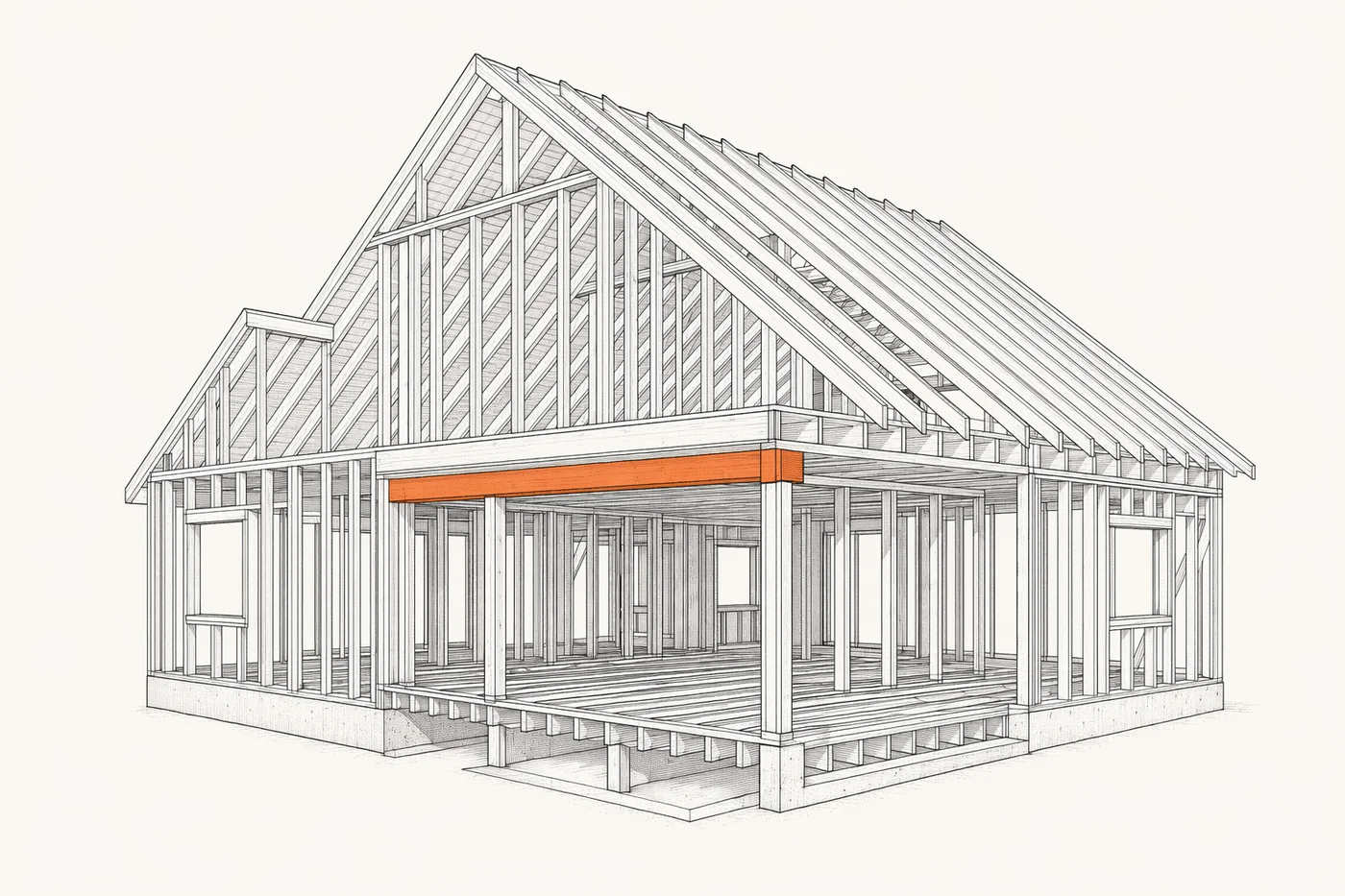
Where framing bids actually leak
It's rarely the field length that sinks a framing number — it's the engineered stuff hiding in the schedules. The header schedule sizes a 6x12 over the great-room opening while the rest of the house takes a double 2x10; default the whole job to one header and you've either left money on the table or bought a callback. Shear walls are worse: a panel on the shear wall schedule wants edge nailing at 3" or 2" on center, a specific sheathing thickness, and a pair of hold-downs anchored to the foundation — that's a different beast from the 6"-on-center wall next to it, and the labor and hardware delta is real. Blocking is the quiet one. Fire blocking, draft stops, mid-height blocking on tall walls and backing for cabinets and grab bars are all in the notes, all add board feet, and all get skipped on a fast scan. And tall walls — once a wall passes the height threshold, the engineering bumps stud size or tightens spacing, and a "normal" wall becomes a premium one.
- Headers and beams sized per span from the header schedule
- Shear walls flagged with edge nailing, sheathing and hold-downs
- Blocking, draft stops and backing pulled from the structural notes
- Double studs at openings, posts at point loads, king/trimmer counts
- Tall-wall conditions where stud size or spacing changes
What Pilars reads on a framing set
It works the structural set, not just the architectural floor plan. It pulls the wall types and assemblies from the wall schedule, the member sizes from the header and beam schedules, the panel callouts from the shear wall schedule, and the governing rules from the general notes — then ties all of it back to the geometry on the plan so the quantities land on the right walls. You get a takeoff organized the way you'd organize it yourself: by wall type, by opening, by sheet — with the engineered panels and the oversized headers called out instead of averaged away. Want to sanity-check a stud count or a board-foot number before you trust the whole package? Run the rough math first in our free framing calculator, then let Pilars do the full set.
What lands on your desk
The output isn't a pile of measurements you still have to sort. It's a framing takeoff built the way a journeyman estimator would build it, with the quantities already grouped so you can price them. Studs and plates come broken out by size and spacing, because a 2x6 at 16" and a 2x4 at 24" are different orders and different labor. Sheathing comes by area with the panel callout attached, so the shear-rated walls keep their thickness instead of inheriting the cheap default. Headers and beams come by member size with the king and trimmer studs already counted at each opening. Hardware — hold-downs, straps, hangers and anchor bolts — comes as an each-count tied to the detail it came from, so you're not reconstructing the Simpson schedule from memory. And the blocking, the draft stops and the backing come as their own lines off the notes, so the board feet that usually evaporate on a fast bid are sitting right there where you can see them.
Every line carries a confidence score and a pointer back to the sheet and the schedule it came from. That matters, because the whole game with AI takeoff is trust: you don't want a black box that spits out a number, you want a draftsman who shows their work so you can overrule them where you know better. Disagree with a header call? Open the line, see the opening and the schedule row it matched, and fix it. The review takes minutes instead of the days a full manual color-up across the structural set would burn — and you spend those minutes on judgment, not on highlighting.
It also keeps the trades honest against each other. Framing touches concrete at the anchor bolts and hold-down embeds, touches the truss package at the bearing walls, and touches the finish trades at the backing and blocking. Because Pilars reads the same set every trade reads, the framing scope lines up with what the structural notes actually require instead of with what got remembered at bid time. That's the difference between a number you defend in a scope review and a number you apologize for after the job starts.
Questions estimators actually ask
Does it read the wall schedule and shear wall schedule, not just the plan walls?
Yes — that's the whole point. It builds a framing assembly from each wall type in the schedule, then reads the shear wall schedule for the panels that carry hold-downs and a tighter nailing pattern, and applies both back to the segments on the plan.
Will it size headers and beams per span?
It reads the header schedule and the structural notes, matches each opening to its callout, and applies the member size and king/trimmer count for that span instead of defaulting every opening to one header.
Does it pick up shear wall nailing schedules and hold-downs?
It reads the shear wall schedule for panel edge nailing, sheathing thickness and hold-down type, so the high-nailing panels and the Simpson hardware show up as their own line items rather than getting blended into a generic wall.
Does it handle blocking, double studs and tall-wall framing?
It applies double studs at openings, posts at point loads, fire and draft blocking from the notes, and flags tall walls where the engineering bumps stud size or spacing — the stuff that quietly adds board feet you don't see on a quick scan.
Pricing?
$100 per trade, per plan — no per-seat licenses, unlimited projects.